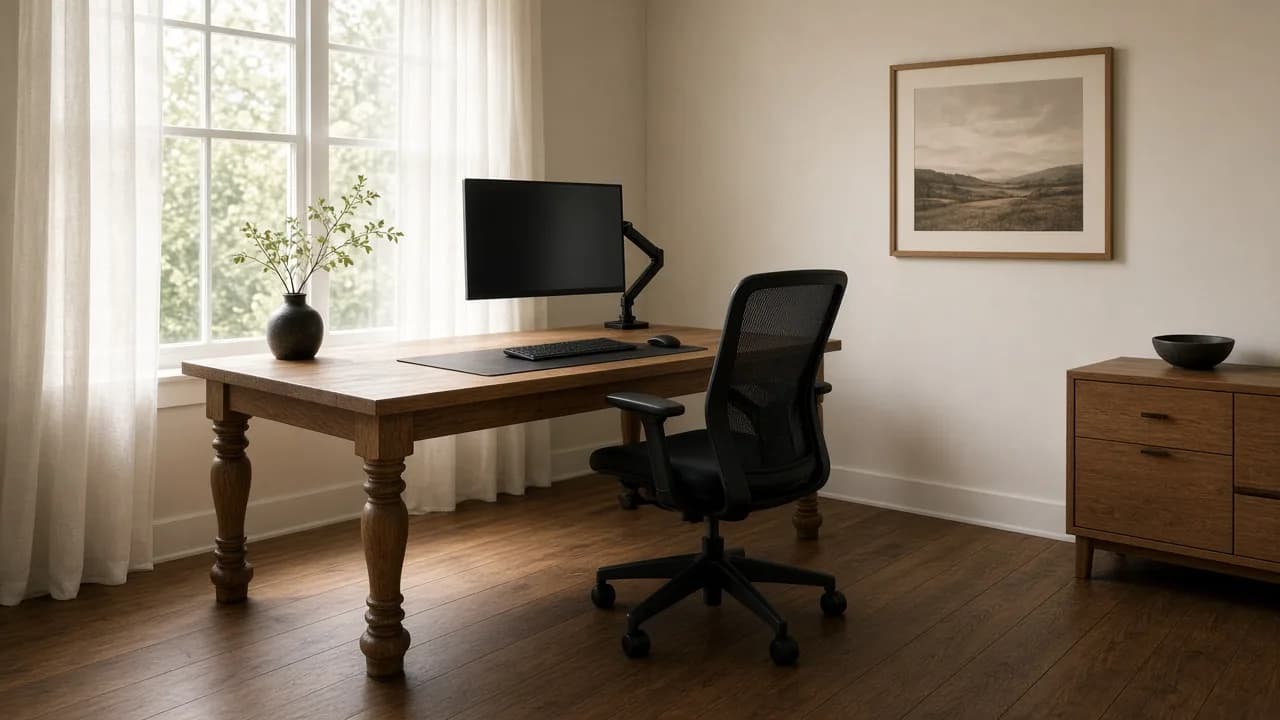

The window is at the side. The chair has room to roll. The screen is not sitting in the glass.
The neck pain started at the dining table and followed you into the spare room. The desk is a standard 29 inches. The laptop lid is the monitor, the keyboard, and the camera. The window is a bright rectangle behind your head on every call, and the chair hits the bookcase when you stand up. A better lamp will not fix a screen that is 14 inches from your eyes.
Put the window at a right angle to the screen. Give the monitor at least 20 inches from your eyes, which usually means a desk near 30 inches deep or a monitor arm. Leave about 36 inches behind the desk so the chair can roll. Set feet, then chair, then keyboard, then screen. The height chart is the desk guide. This page is whether that chart fits the room.
Feet First, Then the Furniture
Crystal, an ergonomist at Alter Ergo, starts every desk assessment at the floor. Feet flat, in shoes you actually wear, not heels. Knees near 90 degrees. The front of the seat about 1 to 2 inches from the back of the leg, so the thigh is supported and the edge is not cutting circulation. Hips at 90 to 100 degrees, level with the knees or slightly higher, never lower. Elbows at 90 to 100, forearm parallel, armrests taking weight off the low back. The wrist stays off the pad. If the armrest presses the soft tissue at the wrist, it is too high or too close. She is fine with a lean during the day as long as the chair has a home position that holds the small of the back. A headrest is optional. It is a cue, not a requirement.
Jon Cinkay, a physical therapist and body-mechanics coordinator at the Hospital for Special Surgery, makes the same first move in the Wall Street Journal’s desk setup. A stock desk is 29 to 30 inches. For a lot of people that is too high or too low, so the chair moves first. Elbows near 90. If the feet leave the floor, add a footrest. A ream of paper works until you own one. The same stack can lift a monitor whose stand will not go high enough. His later note on dining chairs is the one that saves a bad purchase: fixed arms flare the elbows out like chicken wings, so you are working muscles the chair was never asked to support. A pretty host chair is not an eight-hour chair.
An AthletesCare ergonomics session from November 2024 adds the check people skip when they add a lumbar cushion. Raise the chair until the elbows meet the keyboard, then put the feet back on a support. A towel rolled in the small of the back is a fair stand-in for a weak backrest. Then measure the gap behind the knees. It should stay about a fist, or two to three fingers. If the cushion shoves you forward until that gap is 4 inches, you have lost thigh support and the low back is holding you on the seat. Move the pad. Do not buy a thicker one.
The desk height guide on this site keeps OSHA’s wider elbow range, about 90 to 120 degrees, so a supported recline is not a failure. Crystal’s 90 to 100 is the upright home position. Trust the elbows, not a locked right angle that shrugs the shoulders. If the measured elbow height disagrees with a 29-inch top, change the chair, add a keyboard tray, or get a sit-stand frame. Do not spend five years adapting your neck to a catalog number. Standing is not the cure for sitting. Change position. A frame that only gets used at one height is a fixed desk with a motor.
Desk Depth Is the Number the Height Chart Skips
OSHA’s monitor page is blunt. Put the screen directly in front of you, at least 20 inches from your eyes, preferred range about 20 to 40. Top of the screen at or below eye level. Center of the screen about 15 to 20 degrees below horizontal gaze, which is why the top line sits at the eye and the work sits lower. Tilt the glass no more than about 10 to 20 degrees, or ceiling light lands in it. Bifocals and progressives want the screen lower still, so you are not chin-up to read through the bottom of the lens. Cinkay’s version is an arm’s length, top of the screen at eye level, raised on paper if the stand is fixed.
A 24-inch writing desk cannot do that once a keyboard sits on the front edge. The keys take about 6 to 8 inches. The screen then lives in the remaining 16. Your eyes are behind the keyboard, not on the back edge of the desk, so the viewing distance collapses under 20 inches or you lean in to read. A 30-inch top is the usual seated desk that still leaves the screen in OSHA’s range. A 60-by-30 or 72-by-30 is a planning size, not a personality. Width is for the mouse beside the keyboard. Cinkay wants the mouse next to the keys so you move from the elbow, not a reach from the shoulder. Depth is for the eyes.
| Top depth | What it can hold | What breaks |
|---|---|---|
| 24 in. | Keyboard at the front, screen jammed at the back | You lean in, or the viewing distance falls under 20 in. |
| 30 in. | Keys plus a screen still in the 20–40 in. range | The usual seated desk. Confirm the apron still clears the armrests. |
| Monitor arm on a shallow top | Screen floats; keyboard stays | Clamp needs a real rear edge. A thin or hollow top wobbles. |
| Laptop lid only | Nothing at the right height for both eyes and elbows | Chin down, camera up the nose. Dock it. |
OSHA’s preferred viewing distance is about 20 to 40 inches. The desk height guide owns elbow height. This table is only whether the top is deep enough for that distance to exist.
Two screens follow the same front-and-center rule. OSHA’s checklist and Cinkay agree. The screen you actually use goes straight ahead. The other sits beside it. If you split the day evenly, sit in the middle of the pair so the neck is not parked in a twist. A laptop on a stand still needs an external keyboard. The webcam goes on the raised screen, at eye height. A camera on the lid points up, and you spend the call looking at a second window while your chin drops. Dock first. Decor after.
The Window Decides the Calls
OSHA’s workstation environment page is the placement rule the catalog never prints. Reorient the desk so light from an open window hits the screen at a right angle. Put the face of the display perpendicular to the window. Blinds or sheers still belong on the glass. Vertical blinds suit east and west windows. Horizontal blinds suit north and south. Facing the window forces the eyes to jump between a bright field and a darker screen. Sitting with the window behind you silhouettes your face on camera and turns the glass into a mirror. Side light is the default because you look at the screen for more hours than you look at a lens.
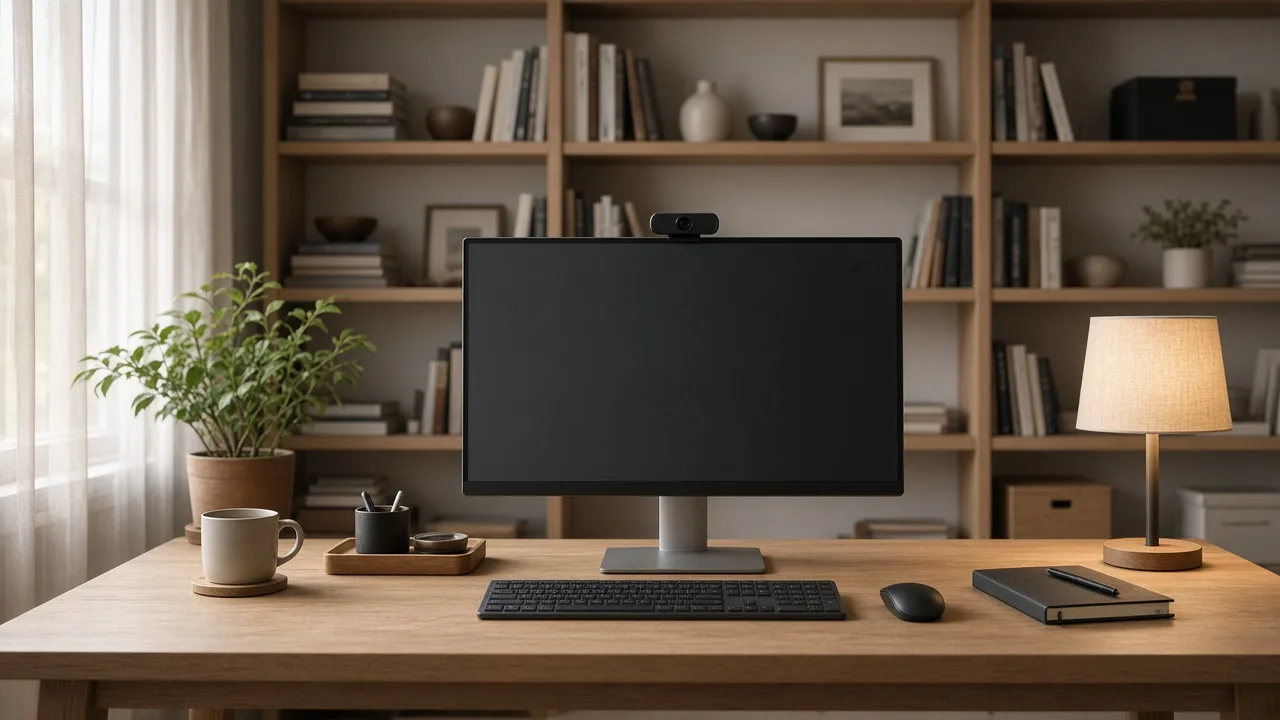
If the only wall is the window wall, sheers and a small lamp in front of your face are the patch, not a better plan. OSHA also wants the task lamp placed so it does not reflect in the glass. A lamp behind the monitor, or on the side that does not bounce into the screen, beats an overhead can that throws a shadow on the keys and a reflection on the display. The backdrop on a call should be a bookcase, a plain wall, or art. A closet door and a pile of shipping boxes read as a storage room. The phone, if you still use one, goes on the non-writing side. A long call gets a headset. Cradling a handset is a neck injury you can skip.
The Chair Has to Roll, and the Armrest Has to Tuck
A task chair is about 20 to 25 inches deep. Standing up means rolling back about another foot. Plan roughly 36 inches from the desk edge behind you. Stretch toward 42 if that floor is also the walk to the door. The door path itself wants 30 to 36 inches and should not be the same strip as the chair. Tape it before the desk arrives. A five-star base is OSHA’s purchasing minimum, with casters that match the floor. Hard-floor casters on a rug, or carpet casters on oak, are how the chair drags or scars. Felt pads and a soft-close drawer matter if the office shares a wall with a bedroom or a nursery.
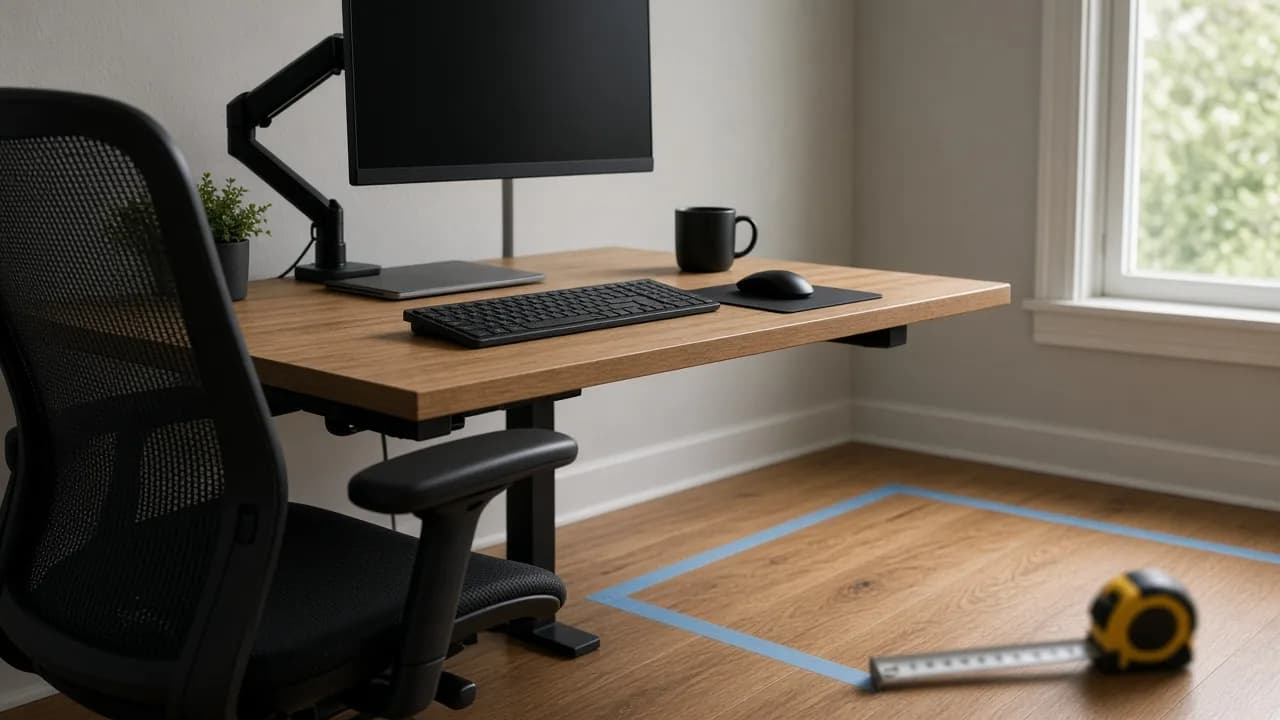
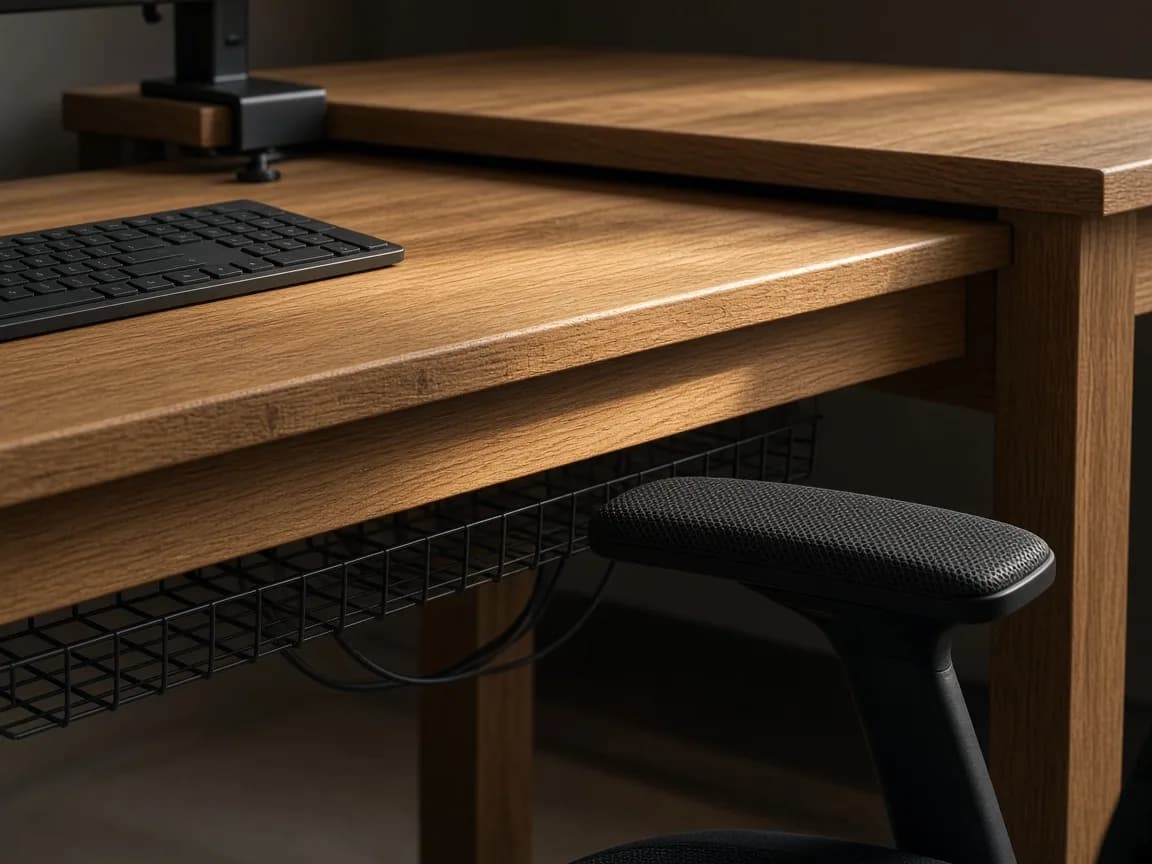
Armrests have to slide under the apron. If they stop on the desk edge, you either drop them and lose the support Crystal wants, or you lift your shoulders for eight hours. Measure the underside of the top and the top of the armrest before you order either piece. A keyboard tray can drop the keys to elbow height when the writing surface is stuck at 30 inches, and it can also be the thing the armrest hits. Check both. Seat height in OSHA’s purchasing range runs about 15 to 22 inches. Seat pan length about 15 to 17. Those are ranges, not a promise that one chair fits a household. If two people share the desk, buy the chair that adjusts, not the one that looks matched.
A guest room can hold a weekday desk if the gear can vanish and a 30-inch lane still exists when someone sleeps there. Closed doors on the printer, a chair that tucks, a desk that clears the bed path. The overnight reset is the guest bedroom guide. Do not rebuild that page here. Just do not put a 72-inch desk across the only walk to the door and call it a dual-use room.
- Feet flat. Fist behind the knees. Elbows near the keys.
- Window at a right angle to the screen. Sheers if the glass is still bright.
- Screen at least 20 inches from the eyes, top at or below eye level.
- Armrests under the apron. About 36 inches to roll the chair back.
- Mouse beside the keyboard. Camera on the monitor, not the laptop lid.
- One surge strip, cables in a tray, paper behind a door.
- Measure the doorway before a sit-stand frame ships. The motor does not shrink the box.
A home office is finished when you can read the screen without leaning, stand up without hitting a bookcase, and take a call without becoming a shadow. The chair and the window come before the shelf styling. The height numbers, if your elbows still disagree with the desk, are the next click.
Frequently asked questions
How do you set up a home office desk?
Start at the feet, not the lamp. Crystal, an ergonomist at Alter Ergo, puts feet flat, knees near 90 degrees, and the front of the seat about 1 to 2 inches from the back of the leg. Hips stay level with the knees or slightly higher, never lower. Then set the keyboard near elbow height and the monitor in front of you. Jon Cinkay, a physical therapist at the Hospital for Special Surgery, starts the same way because a standard 29- to 30-inch desk is the wrong height for a lot of bodies. The inch-by-inch height chart lives in the desk ergonomics guide. This page is the room that chart has to fit.
How far should a monitor be from your eyes?
At least 20 inches, and OSHA’s preferred range is about 20 to 40 inches, roughly an arm’s length. The top of the screen sits at or slightly below eye level so you are not tipping your head back. If you wear bifocals or progressives, drop the screen further so you are not looking through the bottom of the lens with your chin up. A 24-inch-deep desk often cannot hold that distance once the keyboard is on the front edge. A 30-inch top can. A monitor arm is the fix when you already own the shallow desk.
Where should a desk go relative to a window?
At a right angle. OSHA’s computer-workstation guidance says to put the face of the screen perpendicular to windows and to reorient the desk so bright window light hits the screen at 90 degrees, not from behind the glass and not from behind your head. Facing the window glares the screen. Backing onto it makes you a silhouette on calls and turns the screen into a mirror. Sheers or blinds still belong on the glass. Side light is the default, not a style choice.
How much space do you need behind a desk chair?
About 36 inches from the desk edge so a task chair can roll back and you can stand. A typical chair is 20 to 25 inches deep, and standing up takes another foot. Stretch toward 42 if someone walks that line to a door. Keep the door path itself at 30 to 36 inches, separate from the chair zone. A beautiful chair that cannot roll is a stool with extra parts.
Should I use a laptop as my only screen?
Not for an eight-hour day. OSHA’s purchasing notes call for a dock so the display can sit where your eyes are and the keyboard can sit where your elbows are. Cinkay raises the laptop on a stand and adds an external keyboard and mouse. The webcam belongs on the raised screen, at eye height. A lid camera points up your nose and drops your chin.
How should two monitors be arranged?
If one screen is the job, it goes straight in front of you and the other sits beside it. If you split time evenly, sit in the middle of the pair so you are not twisting all day. That is both OSHA’s checklist and Cinkay’s rule. A second screen parked at the edge of a 60-inch desk, used as the real screen, is a neck injury with a cable.
What chair works for an all-day home office?
An adjustable task chair with a five-star base, lumbar support that meets the small of the back, and a seat pan that leaves a fist behind the knees. OSHA’s purchasing range for seat height is about 15 to 22 inches. Armrests should support the forearm without pushing the shoulders up, and they have to slide under the desk apron. A dining chair will not do that. Cinkay’s line on fixed dining-chair arms is that the elbows flare like chicken wings. Felt pads or the right casters matter if you share a wall with a bedroom.
Can a guest room work as a home office?
Yes, if the work gear can disappear and a 30-inch walking lane still exists when the bed is in use. A desk that closes, a chair that tucks, and closed storage for the printer beat a setup you have to dismantle at 10 p.m. The dual-use sleep plan is the guest bedroom guide. This page only cares that the desk depth, the window angle, and the chair roll-back still exist on a weekday.
Related guides
- Desk Height Ergonomics: Ideal Height, Chair Fit & Monitor Setup
A practical home-office ergonomics guide — find your ideal desk height from elbow height, fix a standard 29–30 inch desk, set chair and monitor position, and use sit-stand wisely.
- Small Apartment Furniture: What Actually Fits
A clearance-first furniture guide for U.S. studios and one-bedrooms — sofa width and depth, 30–36 inch walkways, round tables, elevator limits, and the pieces that earn their footprint.
- home office layout
- home office furniture layout
- ergonomic desk setup
- monitor distance
- desk depth
- home office glare
- chair clearance behind desk
- video call background