Guide · 11 min read
Desk Height Ergonomics: Ideal Height, Chair Fit & Monitor Setup
A practical home-office ergonomics guide — how to find your ideal desk height from elbow height, fix a standard 29–30 inch desk, set chair and monitor position, and use sit-stand the way research actually recommends.

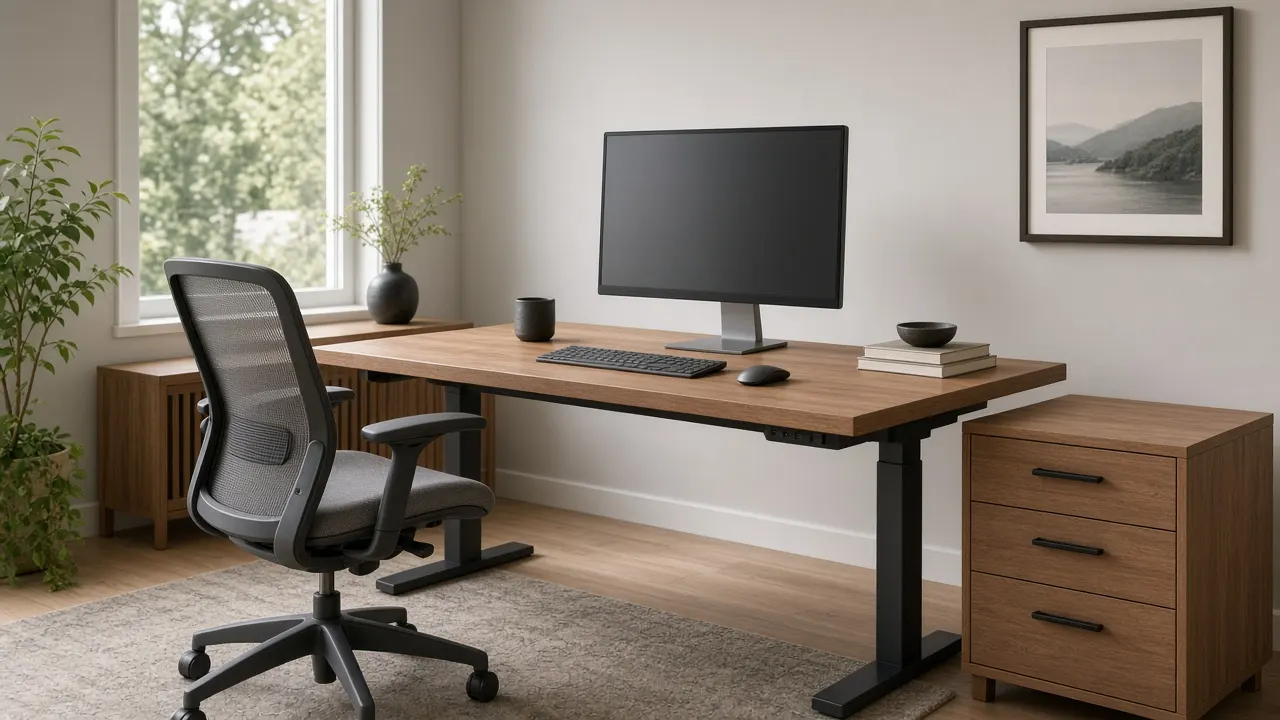
Ideal desk height is not a single number on a product page — it is your elbow height, sitting and standing.
Hybrid work turned dining tables into desks and dining chairs into eight-hour seats. Neck pain followed. The fix is not a prettier lamp — it is desk height ergonomics: matching the work surface to your elbows, the chair to your feet and hips, and the monitor to your eyes. Get those three wrong and no cushion saves the afternoon. The searches behind this page — best desk height, ergonomic desk height, how high should my desk be — all resolve to the same practical question: where should the keyboard sit relative to your body today?
Ideal desk height equals your elbow height with relaxed shoulders — usually with elbows about 90–120° and forearms near parallel to the floor. Standard fixed desks run 29–30 inches and fit a narrow band of adults. Adjust chair first, then desk or keyboard tray, then monitor. Change posture often; static standing is not a cure for static sitting.
What “Best Desk Height” Actually Means
There is no universal best desk height. OSHA’s computer workstation guidance does not crown a single inch mark; it points to adjustability and a keyboard surface near elbow height. Human-factors practice is blunt about the chain of logic: body height charts are proxies. Elbow height is the control variable. Sit or stand with upper arms close to your torso, bend the elbows until forearms run roughly level, and that is the keyboard height you want.
OSHA’s purchasing notes put seated keyboard height in a broad adjustable band around 22–30 inches and standing work roughly 36–46.5 inches — ranges meant to cover many bodies, not a mandate to live at 29 inches forever. If your measured elbows disagree with a chart, trust your elbows.
Desk Height Chart by Your Height
Use this chart to shortlist furniture, then verify with a tape at your own elbows. Shoes change the number; measure in what you actually wear at the desk.
| Your height | Seated desk / keyboard | Standing desk | Typical chair seat |
|---|---|---|---|
| 4'10"–5'0" | 22–24 | 36–38 | 14–16 |
| 5'1"–5'4" | 24–26 | 38–41 | 15–18 |
| 5'5"–5'8" | 26–28 | 40–43 | 17–19 |
| 5'9"–6'0" | 28–30 | 43–46 | 18–21 |
| 6'1"–6'4" | 30–33 | 46–49 | 20–22 |
| 6'5"+ | 33–36 | 49–52 | 22–25 |
Standard fixed desks at 29–30 in. mainly match the 5'9"–6'0" band. Outside it, plan a tray, risers, or a sit-stand frame — do not force your shoulders to adapt for years.
Setup Order: Feet → Chair → Desk → Monitor
Ergonomists who train people at desks — and physical therapists who inherit the injuries — almost always work from the ground up. Start with the feet, not the monitor stand you bought on impulse.
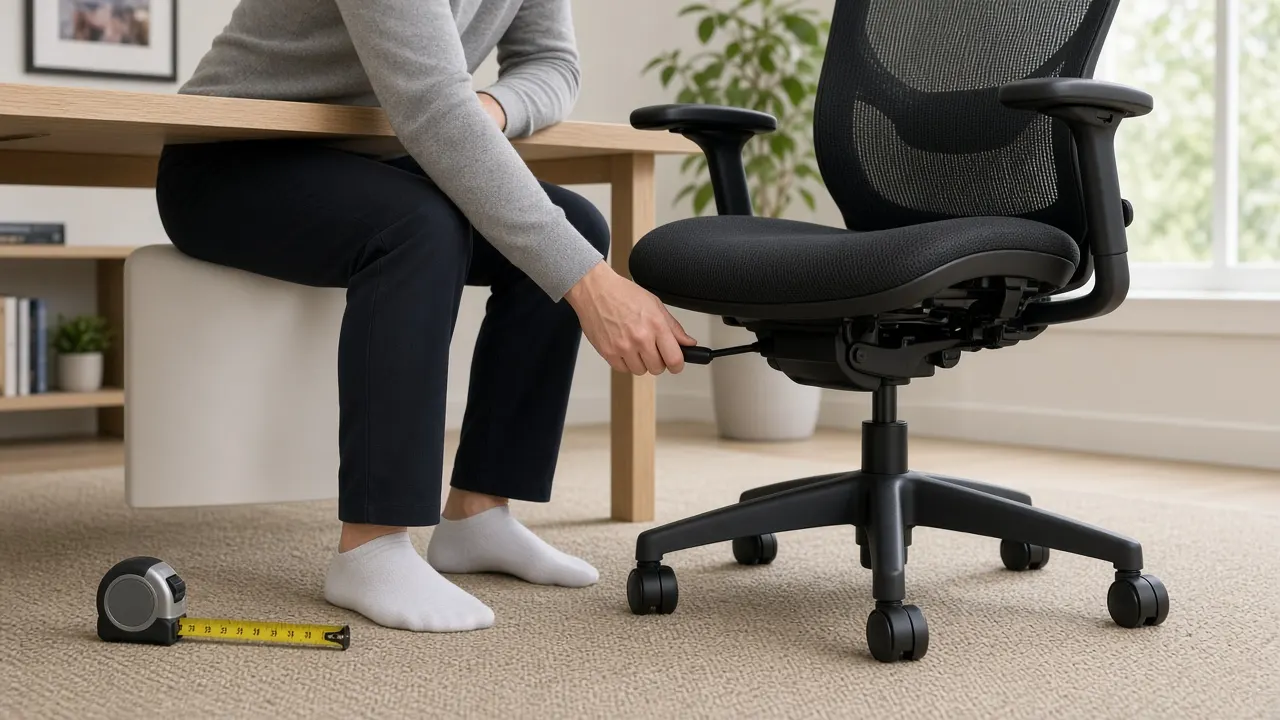
- Feet: flat on the floor or a footrest. Avoid dangling. Heels that tip the ankle all day fight the whole stack.
- Knees and seat depth: about 90–100° at the knee; keep roughly 1–2 inches between the seat edge and the back of the calf so the thigh is supported without cutting circulation.
- Hips: near 90–100°, and not lower than the knees. A slight recline of the backrest (around 100–110° from vertical, per Cornell-style guidance) often beats a stiff upright “attention” posture for long computer work.
- Elbows: 90–120°, close to the body, forearms roughly level with the keyboard. Armrests should support without shrugging shoulders or poking soft wrist tissue.
- Desk / keyboard: raise or lower the surface (or tray) to those elbows. Wrists stay neutral — not cocked up over a thick laptop stack.
- Monitor: last. Top at or slightly below eye level, centered, about an arm’s length away.
When the Desk Is Fixed at 29–30 Inches
Most American writing desks and many “home office” tables land near 29–30 inches. If that matches your elbows, celebrate. If it does not, you still have options that cost less than a full furniture replacement. Shorter workers often look “fine” in photos while typing with shrugged shoulders; taller workers collapse forward to reach a surface that never rose to meet them. Both patterns show up in the same living room with the same catalog desk.
Before you buy, measure knee clearance under the apron and confirm chair arms can tuck without slamming wood. A desk that is the right height but blocks your thighs forces you to perch on the front edge of the seat — undoing lumbar support you paid for. Depth matters too: OSHA notes the surface should be deep enough to keep a monitor at least about 20 inches away while still leaving room for keyboard and pointing device in the primary reach zone.
| Problem | First fix | Better long-term |
|---|---|---|
| Desk too high (common if shorter) | Raise chair + add footrest; or keyboard tray | Lower adjustable desk / proper sit-stand range |
| Desk too low (common if taller) | Desk risers / blocks under legs | Sit-stand desk with taller seated max |
| Hard front edge biting wrists | Edge pad or gel wrist rest used lightly | Rounded edge desk or tray with soft lip |
| Apron blocks thighs or chair arms | Roll chair in less; thinner arms | Desk with more knee clearance |
| Laptop only | Books under laptop + external keyboard | Monitor arm + dock + real keyboard/mouse |
Monitor Height and Distance
OSHA’s monitor guidance is clear enough to memorize: screen directly in front, at least about 20 inches away, top line at or below eye level, center typically 15–20 degrees below horizontal eye level. Cornell’s practical cue — eyes aligning about 2–3 inches below the top of the monitor casing, with a slight recline — puts the visual center where your eyes naturally look down a corridor: more floor than ceiling.
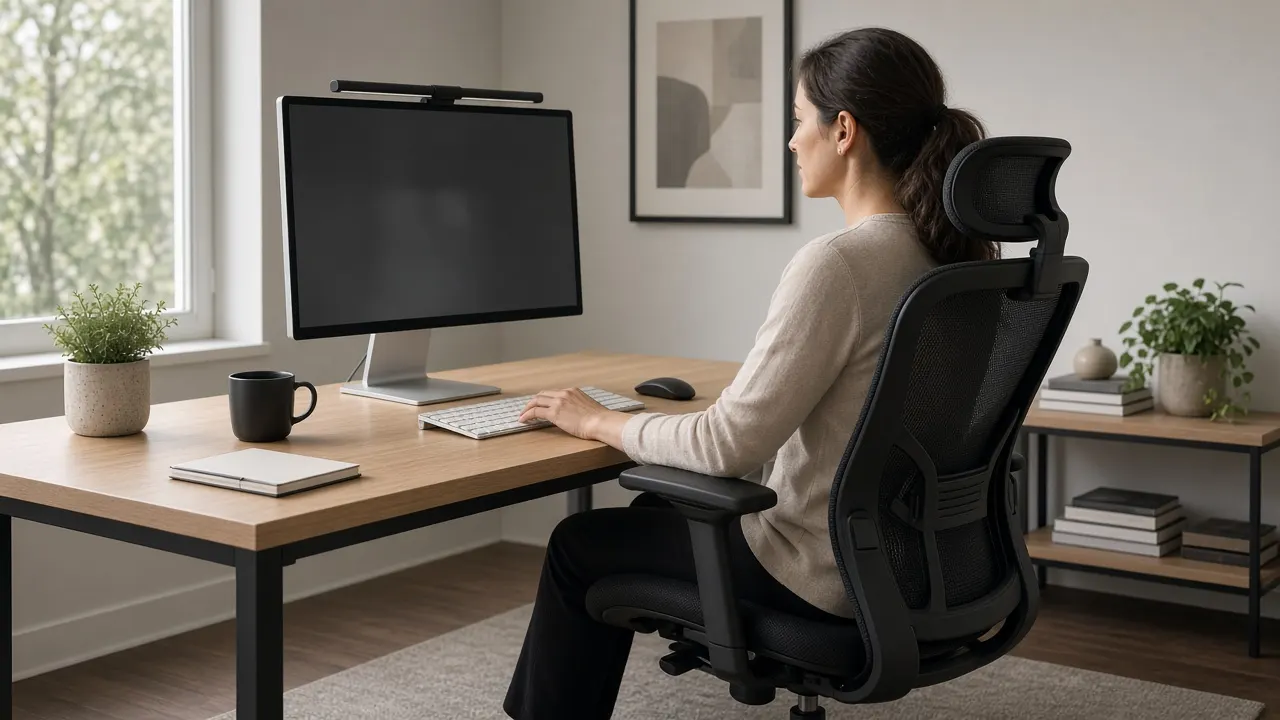
- Distance: roughly an arm’s length; stay within about 20–40 inches depending on screen size and vision.
- Height: top at or slightly below eye level; lower 1–2 inches more for bifocals/progressives.
- Glare: place perpendicular to windows when you can; squinting becomes neck strain.
- Dual monitors: primary centered; secondary angled in. Do not make your neck commute between far-left and far-right all day.
Sit-Stand Desks Without the Hype
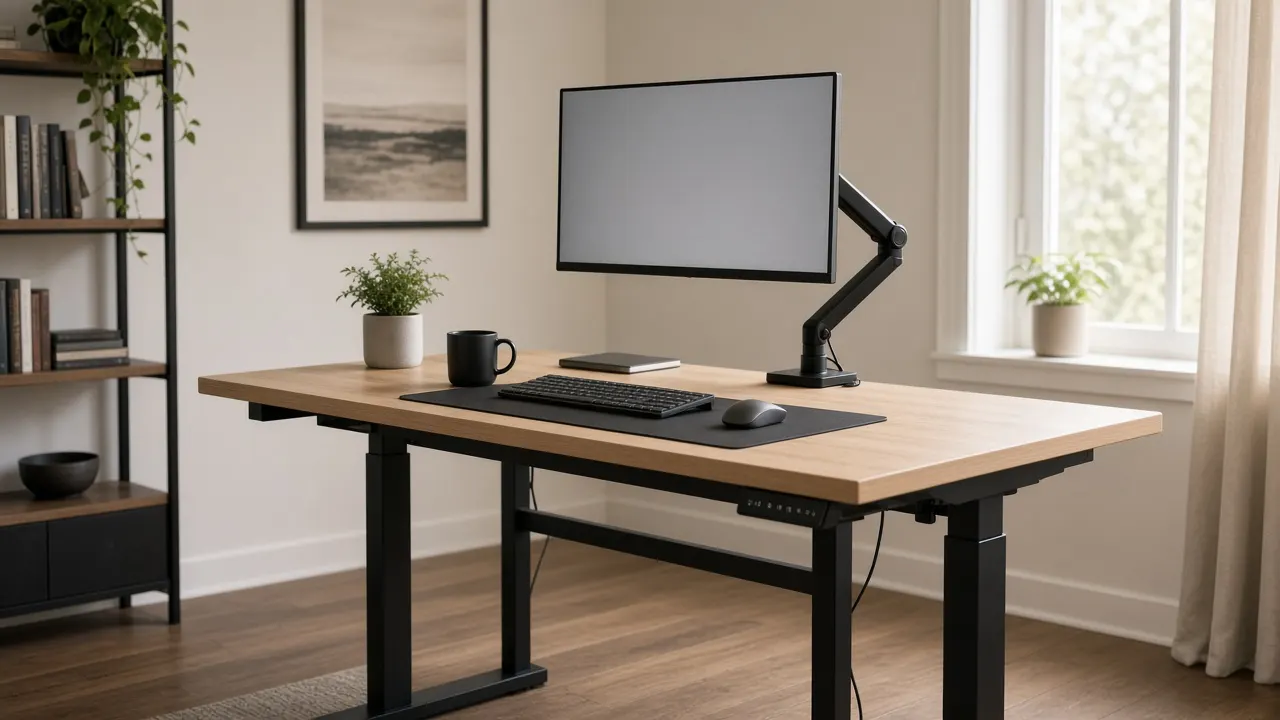
A sit-stand desk is a posture changer, not a cardio machine. Cornell’s Alan Hedge popularized a simple rhythm many workplaces still cite: about 20 minutes sitting in a good posture, 8 minutes standing, and 2 minutes moving — the 20-8-2 pattern. The absolute minutes are less sacred than the habit: break static postures every half hour and actually move blood through muscle. Field notes from the same research tradition also warn that unused sit-stand desks quietly become fixed desks again within weeks — so buy the habit, not only the motor.
When you stand, soft-lock the knees, shift weight, and keep the same elbow rule you use seated. A keyboard that felt perfect sitting can become shrug-high once the desk rises if you only punched a random preset. Save two memory heights — seated elbows and standing elbows — and treat “halfway” as a transitional accident, not a posture.
| Block | About | What “good” looks like |
|---|---|---|
| Sit | ~20 min | Supported recline, feet planted, keys at elbows |
| Stand | ~8 min | Desk at standing elbow height; soft knees; weight shifts |
| Move | ~2 min | Walk, stretch, stairs, water — not freeze in place |
Static standing all day can load the legs and back as harshly as static sitting. Movement is the point; the motorized desk is optional equipment for that point.
Chair Features That Earn Their Keep
A dining chair can host dinner. It rarely hosts deep work. For all-day seating, pay for adjustability you will use: seat height, seat depth (or a sliding pan), lumbar that meets your low back when you sit all the way back, and armrests that clear the desk apron without lifting your shoulders. Mesh backs shed heat in warm climates; upholstery can feel better in cold rooms — comfort climate is part of ergonomics too.
- Seat height range that reaches your elbow-matched posture with feet supported.
- Seat depth that leaves a small gap behind the knees.
- Lumbar that fills the small of the back without shoving you forward off the seat.
- Armrests adjustable in height (ideally width/pivot) that do not crash into the desk.
- Stable base and smooth casters matched to your floor — fighting the chair wastes shoulders.
Quick Home-Office Setup Checklist
- Measure seated and standing elbow height; write both numbers on a sticky note under the desk.
- Set chair so feet and hips are happy, then bring keyboard to elbows.
- Fix a too-high fixed desk with tray or chair+footrest before buying anything prettier.
- Place monitor last: top near eye level, arm’s length, glare controlled.
- Split the laptop: raised screen + external keyboard/mouse.
- Schedule posture breaks — 20-8-2 or any rhythm you will obey.
- Re-check setup after a week; small drifts (monitor creep, chair sink) undo good furniture.
Mistakes That Keep Neck Pain Employed
- Buying a “standard” 30-inch desk and shrugging through the mismatch for years.
- Raising a laptop on books without adding an external keyboard — screen wins, shoulders lose.
- Parking the monitor too high so you chin-tilt all day, or too low so you turtle forward.
- Standing stock-still at a standing desk for two hours and calling it wellness.
- Using armrests as lean posts that hike the shoulders toward the ears.
- Storing boxes under the desk until there is no room for legs to belong to you.
Furniture cannot save a posture you never change. Match the desk to your elbows, then move before your next meeting does it for you.
— Emir Muhić, Kotro Home
Desk height ergonomics is a short checklist with long consequences. Measure elbows, set the chair from the feet up, bring keys to that line, and park the monitor where your neck can stay quiet. Whether you keep a fixed 29-inch desk or invest in sit-stand, the winning setup is the one your body can repeat tomorrow — not the one that looked correct in a single photo.
Frequently asked questions
What is the best desk height for ergonomics?
The best desk height is the one that matches your elbow height when shoulders are relaxed and upper arms hang close to your body — typically with elbows bent about 90–120 degrees and forearms roughly parallel to the floor. Charts by body height are useful starting points, but measured elbow height beats any chart. For many adults that seated surface lands somewhere between about 22 and 33 inches, not automatically at the store’s 29–30 inch standard.
What is the standard desk height in the U.S.?
Most fixed desks sold for seated work are about 29–30 inches high (sometimes listed as 28–30). That range roughly suits people near 5'9"–6'0". Shorter users often need a keyboard tray, a lower desk, or a raised chair plus footrest. Taller users may need desk risers, adjustable legs, or a sit-stand desk that reaches their seated elbow height without hunching.
How high should my desk be for my height?
Use a height chart as a first guess, then verify with elbow height. As a rough seated guide: around 5'0" often needs ~22–24 inches; 5'4" ~24–26; 5'8" ~26–28; 5'10"–6'0" ~28–30; 6'2"+ ~30–33 inches. Standing heights commonly run from the high 30s into the upper 40s depending on stature. Always fine-tune so wrists stay neutral at the keyboard.
Should my elbows be at 90 degrees at the desk?
Aim for roughly 90–120 degrees with elbows close to the body — OSHA’s computer workstation guidance uses that range, not a locked right angle. Forearms should feel nearly parallel to the floor, shoulders down, wrists straight. A rigid “perfect 90” that forces shrugged shoulders or a hunched turtle posture is worse than a slightly open angle in a supported recline.
How high should my monitor be?
Place the monitor directly in front of you about an arm’s length away (commonly 20–40 inches). Keep the top of the screen at or slightly below eye level so the center falls about 15–20 degrees below horizontal eye level. Cornell guidance often aligns eyes with a point 2–3 inches below the top of the monitor casing. Lower the screen further if you wear bifocals or progressives.
Do I need a sit-stand desk?
Not always. The health win is changing posture and moving, not standing still for hours. Cornell’s often-cited 20-8-2 pattern — about 20 minutes sitting, 8 standing, 2 moving — is a practical rhythm whether you own an electric desk or simply stand for calls and walk to the printer. A sit-stand desk helps if you will actually change height; unused, it is just an expensive fixed desk.
What if my fixed desk is too high?
Raise the chair until elbows meet the keyboard, then add a footrest so feet are supported and hips are not hanging. Or add an under-desk keyboard tray that drops the keys to elbow height while the writing surface stays higher. Padding a hard desk edge reduces contact stress on wrists. If the desk is too low, sturdy risers under the legs or a sit-stand converter can lift the work surface.
How should I set up a laptop ergonomically?
A laptop alone forces a bad tradeoff: low screen or high keyboard. Raise the laptop (or use a separate monitor) so the top of the screen is near eye level, and use an external keyboard and mouse at elbow height. OSHA’s purchasing guidance explicitly calls for docking so the monitor can sit in the best location while input devices stay independent.
- desk height ergonomics
- best desk height
- ergonomic desk height
- standard desk height
- sit stand desk height
- home office ergonomics
- monitor height
- office chair height
Related guides
- How to Measure for a Sofa: Depth, Room Size & Doorways
The complete sofa measuring guide for U.S. homes — overall dimensions, seat depth, diagonal depth for doorways, room clearances, and the delivery-path checks that stop returns.
- Furniture Delivery Day Checklist: What to Inspect Before You Sign
A field checklist for U.S. furniture delivery day — service levels from curb to white-glove, ROC explained, inspection steps before you sign, and how to protect a damage claim.
- Small Apartment Furniture: What Actually Fits
A clearance-first furniture guide for U.S. studios and one-bedrooms — sofa width and depth, 30–36 inch walkways, round tables, elevator limits, and the pieces that earn their footprint.